
Your IEEPA Tariff Refund, Step by Step Through CAPE
Phase 1 went live on April 20, 2026. Here's how importers and brokers actually file, what gets accepted, and where claims quietly die.

What CAPE Is and Why It Exists
The Supreme Court struck down the IEEPA tariff authority. Court orders in Atmus Filtration v. United States and Euro Nations Florida Inc. v. United States directed CBP to refund what it collected. CBP needed a way to handle the volume without grinding through entries one at a time.

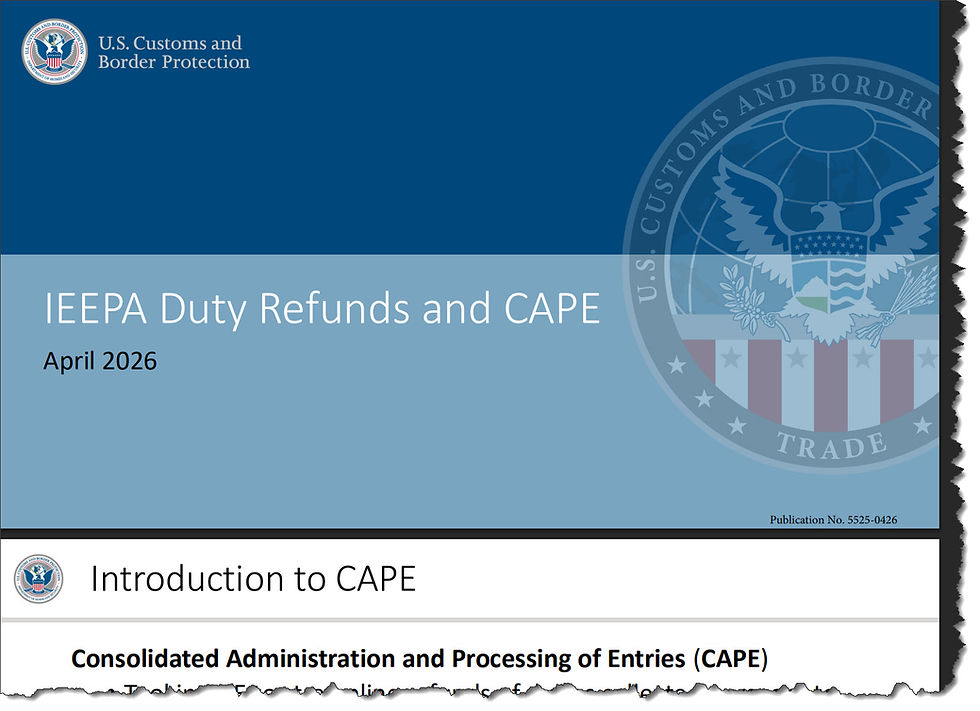
CAPE stands for Consolidated Administration and Processing of Entries. It is a tab inside the ACE Secure Data Portal. You upload a list of entries. ACE batches the work, removes the IEEPA Chapter 99 codes, recalculates duty, and pays one rolled-up refund per recipient per liquidation date. Interest runs from the date you originally paid through the liquidation or reliquidation date under 19 U.S.C. § 1505(c).
The Q1 2026 overpayment interest rate is 7% for noncorporate filers and 6% for corporate filers. That money is yours. Go get it.
Who Can File
Two parties. Nobody else.
The Importer of Record for the entries listed.
The licensed customs broker that actually filed those entry summaries on the IOR's behalf.
A broker can mix entries from many IORs on a single Declaration up to the 9,999-entry cap. A third party who did not file the original entry has no path here.
What Phase 1 Will and Will Not Process
Status | Phase 1 - Treatment |
Unliquidated | Accepted. Liquidated and refunded after CBP review. |
Liquidated within 80 days | Accepted. Reliquidated under the 90-day voluntary window in 19 U.S.C. § 1501. |
Suspended, extended, or under review | Accepted. Refund issues after liquidation resolves. |
Warehouse and warehouse withdrawal | Accepted. Refund follows liquidation. |
Flagged for reconciliation or Type 09 | Excluded. Future phase. |
On a drawback claim | Excluded. Future phase. |
Open protest | Excluded. |
Not filed in ACE | Excluded. |
AD/CVD pending DOC liquidation instructions | Excluded under § 1504(d). |
Finally liquidated | Excluded for now. CIT case may be required. |
Critical
Do not try to file an IEEPA refund through a Post Summary Correction. CBP has flat-out prohibited that route. PSC submissions for IEEPA refunds will be rejected.
The Filing Workflow
01
Get an ACE Portal account with the right sub-account
You need an active ACE Secure Data Portal account. The CAPE tab lives inside the Importer, Organizational Broker, or Filer sub-accounts. If you do not have an Importer sub-account yet, add one before you do anything else.
02
Enroll in ACH refunds with refund-specific banking
This trips up filers. The bank account you use to pay CBP is not the one CBP uses to refund you. Add refund banking through the ACH Refund Authorization tab in your Importer sub-account. No refund ACH on file means CBP holds your money until you fix it. Watch the REV-613 ACH Rejected Refunds report after filing to catch any rejections.
03
Pull your list of IEEPA entries
Compile every entry that carried at least one dutiable IEEPA HTS Chapter 99 code. If the entry has no IEEPA Chapter 99 line, ACE will reject it during entry-specific validation. Cross-check liquidation status. Anything more than 80 days past liquidation is out of Phase 1 scope.
04
Download the CAPE Declaration template
In the ACE Portal CAPE tab, click Upload and grab the template. It is a single-column spreadsheet with "Entry Number" in row 1 of column A. Drop your entry numbers below. Save as CSV. One Declaration holds up to 9,999 entries. File as many Declarations as you need.
05
Upload and certify
Upload the CSV in the CAPE tab. You will acknowledge a certification that you are legally authorized to file. ACE runs file-level validation first. Submitter authority, list contents, and formatting all get checked. A failure here rejects the entire Declaration and you start over with a corrected file.
06
Watch the entry-level validations
If the file passes, ACE walks each entry. It checks that the entry exists in ACE, carries at least one dutiable IEEPA Chapter 99 code, and is not duplicated on this or any prior Declaration. Failed entries drop off. The rest keep moving. Pull the result file from the CAPE Claim Status section to see what was rejected and why.
07
CBP review, recalculation, and refund
For accepted entries, ACE removes the IEEPA Chapter 99 codes and duties, generates a new entry summary version, and recalculates duty owed. CBP reviews. Liquidation or reliquidation follows. Refunds are consolidated by recipient and liquidation date and paid by ACH. Expect 60 to 90 days from acceptance, longer for suspended or under-review entries.
Where Refunds Actually Land
Refunds go to the IOR by default. If a "notify" party was designated on the original entry through CBP Form 4811 or the ACE Portal, and the designation said the notify party should receive refunds on the IOR's behalf, the notify party gets paid instead. Worth checking your 4811 history if you handle refunds for clients.
Track payments through ACE Reports. The REV-603 Trade Refund report shows successful refunds. The REV-613 ACH Rejected Refunds report flags anything that bounced because banking was missing or wrong.
The Three Validation Errors That Will Stop You
Most rejections cluster around a small number of mistakes. Knowing them in advance saves a refile cycle.
Failure mode | Why it happens |
Submitter not authorized | You are neither the IOR nor the broker that filed the entry. ACE checks this at the file level and rejects the whole Declaration. |
No IEEPA Chapter 99 code on entry | The entry never carried a dutiable IEEPA line. CAPE has nothing to refund. The entry drops out at entry-specific validation. |
Duplicate entry number | Same entry on this Declaration twice or already submitted on a prior Declaration. The duplicate gets rejected. |
What This Means for Your Cash Position
Phase 1 covers about 63% of entries that paid IEEPA duties. If you imported steadily through the IEEPA period, a meaningful chunk of working capital is sitting at CBP. The 80-day window is a hard edge. Entries that aged past it before April 20 are stuck waiting for a future CAPE phase or a CIT filing. Anything still inside the window deserves attention this week.
Three things to do today.
Confirm refund ACH banking is on file. No banking, no refund. Fix this before you upload anything.
Audit your IEEPA entry universe. Sort by liquidation status and date. Triage the 80-day-window entries first since the clock is real.
Decide who files. If your broker filed the original entries, coordinate with them. Mixing self-filing and broker-filing on the same entry universe creates duplicate-rejection risk.
Three alternative paths to consider
Self-file as IOR. Best if you have ACE Portal access, refund banking set up, and a clean entry list. Maximum control over claim sequencing.
Have your broker file. Best if your broker already holds the entry filings and has the operational capacity. They can batch up to 9,999 entries per Declaration across multiple IOR clients.
Hybrid with CIT preservation. File CAPE for everything in the 80-day window. Preserve CIT options for finally liquidated entries that Phase 1 will not touch. Talk to trade counsel before the protest windows close.
Resources Worth Bookmarking
Webinar Information Hosted by the CBP
CBP IEEPA Duty Refunds page:


